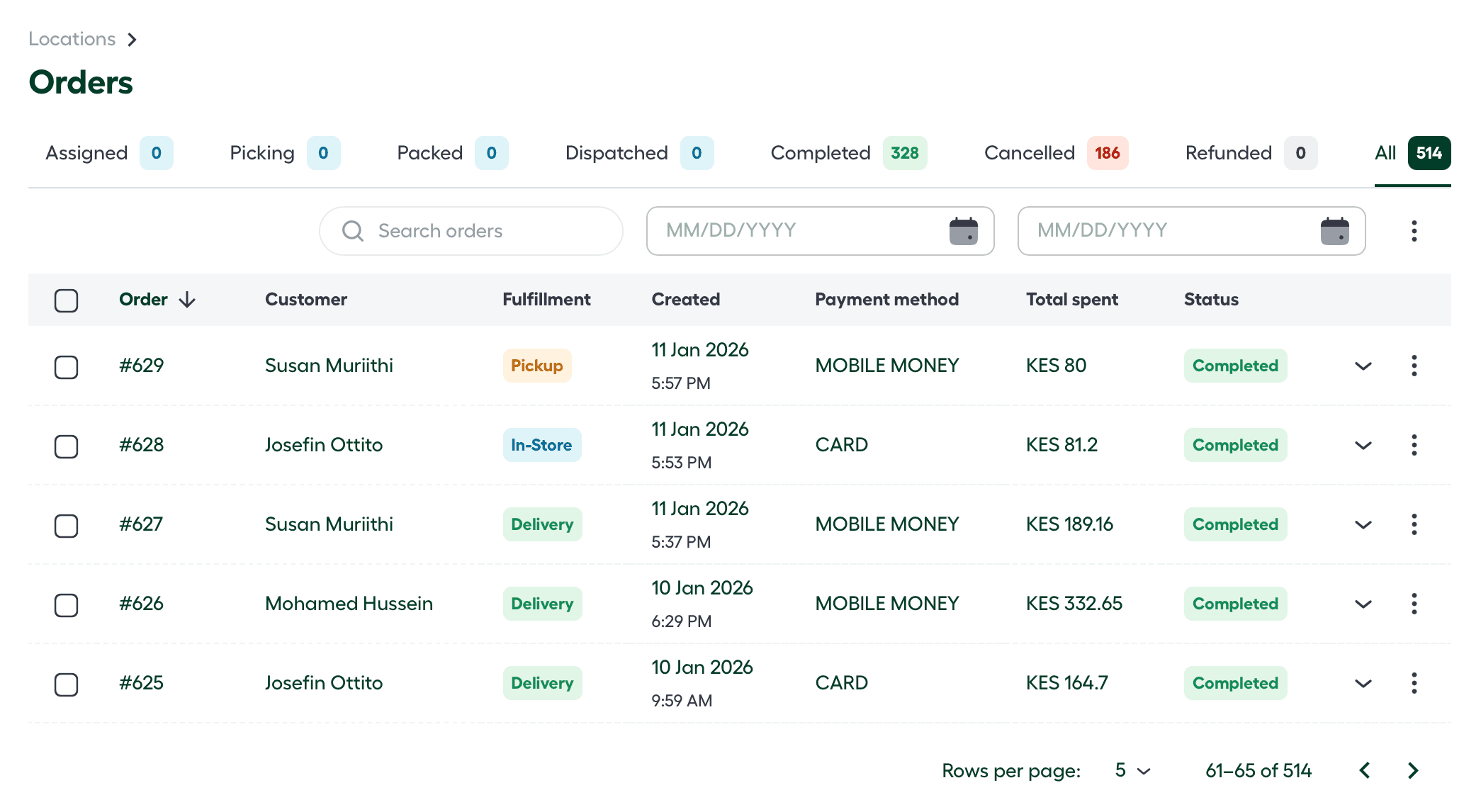
Order Stages and Tracking
Every order on the platform follows a structured lifecycle. These “States” are more than just labels; they represent the real-time physical status of the product and trigger specific background actions, such as inventory reservation or customer notifications.
You can view the full history and current status of all records by navigating to the Orders tab within your specific store location.
The Fulfillment Workflow
As an order moves toward the customer, it passes through the following primary stages:
| Status | Description |
|---|---|
| ⏳ Pending | The order has been received by the system but has not yet been processed or assigned to a staff member. |
| 📌 Assigned | A specific team member or station has been designated to fulfill the order. |
| 🛒 Picking | The items are currently being gathered from the store shelves or warehouse racks. |
| 📦 Packed | All items have been verified and secured in their shipping containers. The order is now awaiting courier pickup. |
| 🚚 Dispatched | The order has left the store location and is in transit via the selected logistics partner. |
| ✅ Completed | The order has been successfully delivered and confirmed at the customer’s doorstep. |
Exception & Final States
The following states represent finality for records that were stopped or reversed:
Cancelled
An order is marked as Cancelled if the request is terminated before fulfillment is complete.
- System Impact: Reserved inventory is immediately released back into the “Available” stock pool for other customers.
Refunded
The Refunded state applies to completed orders where the transaction has been reversed.
- System Impact: This state triggers a financial record update. To learn more about our terms of use check out our Terms of use .
How to Track an Order
To monitor the progress of a specific order or to change its state manually:
- Select the location from the homepage.
- Navigate to the Orders tab on the side navigation bar.
- Use the Filter or Search bar to find a specific Order ID.
- Click on the Order ID to open the full details page, where the current state and “Time-in-State” logs are displayed.